Why Bulletproof Video Project Archiving Is Non-Negotiable
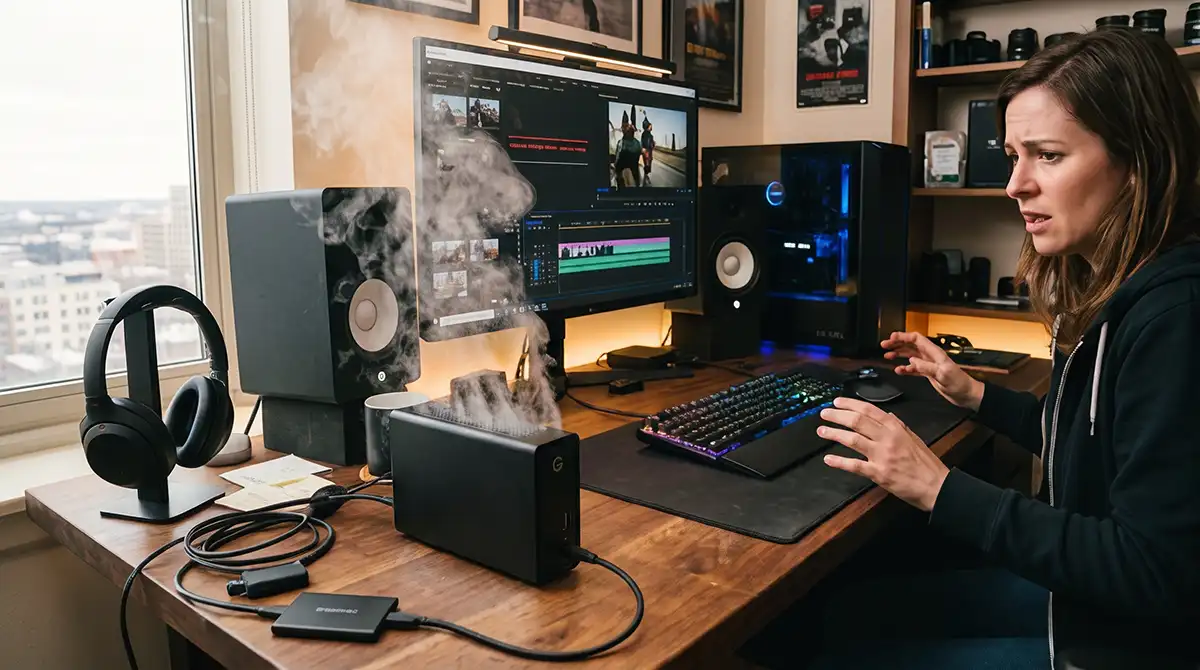
In video production, the work is far from over when the cameras stop rolling. Right after shooting comes the intensive post-production phase—often weeks or months of editing, color grading, sound design, and revisions. Only after the final masters are delivered does the long-term value of the material truly emerge. Often later, a commercial may need a quick refresh for a new promotion, corporate video needs a data update or feature film needs to be revised prior to distribution. Client assets—show masters, custom music, graphics, and stills—get requested again and again. Without a reliable, multi-layered archive system, both the active editing process and these later needs can turn into expensive crises.
Not having a bulletproof backup and archive strategy is a recipe for disaster. Hardware fails. Vendors disappear. Files corrupt. Fires, floods, ransomware, or simple human error can wipe out irreplaceable work in an instant. The cost is not just lost time or money—it is lost trust, lost revenue, and, in some cases, lost cultural history.
A recent real-world example makes the stakes painfully clear. Nine PBS, a public television station in St. Louis, lost access to more than 50 terabytes of data spanning 70 years of archival materials and programming after its contracted cloud storage vendor, Open Source Storage, went defunct. The station had relied on the vendor since 2019. When the contract came up for renewal, the company simply vanished—website offline, listed as delinquent, and access cut off without the promised retrieval window—triggering an ongoing lawsuit, still unresolved as of this writing, as the station fights to prevent deletion and regain control of material that included coverage of major local events and decades of unique programming. 70 years of archives seems like a lot of material, and it is, but 50 terabytes is not—amounting to just two hard drives worth of data, at a cost of only around $2,000, far cheaper than the legal fees now in play. While the archive was being hosted by a cloud vendor, Nine PBS could have had two drives sitting on the shelf as a minimum. Best practices would have dictated two sets of backups with one stored off-site—the 3-2-1 standard; more on that later.
One single point of failure nearly erased 70 years of history. That is the danger of treating archiving as an afterthought or outsourcing it entirely to one external provider.
Why Video Projects Demand More Than Casual Backups
Video files are large, complex, and interdependent. A single project can include camera originals in multiple codecs and formats shot on numerous discrete camera systems over many months of production. Add to that audio stems, project files from editing software, graphics, color grades, and final deliverables. Losing any piece can force expensive recreations or make an entire body of work unusable.
Projects frequently need revisiting. Clients request changes months or years later. Footage gets licensed for new uses. Historical material gains new relevance. For production companies, the archive is both a creative resource and a business asset. Losing it damages reputation and can create legal exposure when contracts require long-term access to masters.
Hardware alone is not enough. A RAID (Redundant Array of Independent Disks) array protects against single-drive failure during active work, but it does not protect against accidental deletion, ransomware, fire, or the failure of an entire facility. Cloud storage is valuable, yet as the Nine PBS case shows, relying on a single vendor creates catastrophic risk if that vendor fails.
Best practices exist for a reason. The industry-standard 3-2-1 rule remains foundational: keep at least three copies of your data, on two different types of media, with one copy stored offsite. At Impact Studios we take this principle a step further. We maintain more than three independent copies across multiple media types and locations—redundant DAS RAID for active editing, immediate external drive backups, dual near-real-time mirrored NAS systems on-site, dual cloud protections on Backblaze (file-by-file sync plus compressed incremental archives), and, for critical projects such as feature films, an additional, fourth, physical offsite external drive of all of the project’s assets. This layered approach goes beyond the minimum 3-2-1 standard to reduce single points of failure even further and provide multiple independent recovery paths.
Additional best practices include:
-
Separating working storage from archival storage.
-
Using multiple independent backup methods (file-level sync plus compressed or incremental archives).
-
Maintaining offsite physical copies of the most critical raw material.
-
Digitally cataloging the location, version, and corresponding drive for every major asset.
-
Maintaining thumbnails of visual assets to make the catalog searchable at a glance.
-
Re-writing data periodically to prevent bit rot.
-
Running spot restore operations so recovery is proven, not theoretical.
-
Avoiding single-vendor dependency for the sole long-term copy of irreplaceable data.
These principles scale from freelance creators to full production companies. The larger and more valuable the projects, the more layers become essential.
How Impact Studios Protects Every Project
At Impact Studios we treat archiving as a core production process, not an optional extra. Our system is designed so that no single failure—drive, server, facility, or vendor—can destroy a project.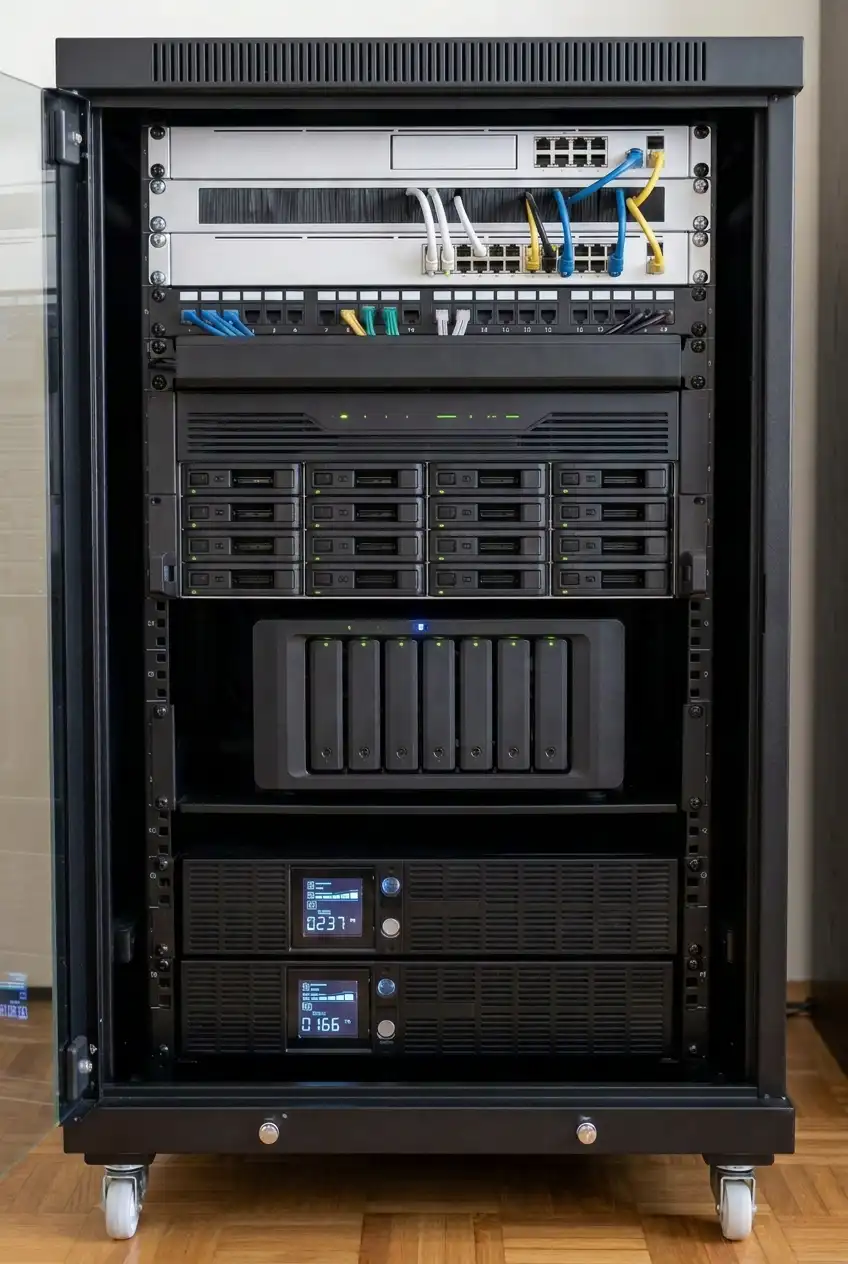
All incoming camera footage is first moved onto our DAS (Direct Attached Storage) RAID for editing. This array includes built-in redundancy so that a drive failure does not halt progress and work can continue while the failed drive is replaced. Immediately after the footage is uploaded to the RAID, it is backed up onto an external drive. This creates an early secondary local copy while the material is still fresh and before heavy editing begins.
Editing projects themselves live on our NAS (Network Attached Storage). That primary NAS mirrors itself in near real time to a second in-house NAS. The mirrored pair protects against ransomware or a catastrophic event like fire or total hardware failure. Overnight, the data is uploaded to Backblaze cloud storage. On Backblaze we maintain two distinct forms of protection: a file-by-file synced copy of our entire server and a compressed incremental backup. The dual approach is deliberate. If the compressed archive ever becomes corrupted, the synced files remain available for individual recovery. The compressed backup, in turn, allows faster restoration of an entire NAS volume when needed.
All client deliverables—show masters, artwork, music, images, and final project packages—are stored on the NAS and therefore travel through the full backup routine. For the most important projects, such as feature films, we take an additional step: a second external drive backup of the raw camera footage is created and stored offsite. This physical, geographically separated copy provides an extra layer of protection against facility-wide disasters or prolonged cloud access issues.
The result is a system with multiple independent paths to recovery. Local RAID and NAS pairs keep production moving. External drives and the second NAS provide near-term local redundancy. Cloud storage with both synced and compressed copies supplies offsite protection with different recovery characteristics. Critical raw footage gains an extra physical offsite copy. No single failure mode eliminates the archive.
Building Resilience Into Everyday Workflows
A strong archive system only works if it is consistent and automatic where possible. Manual processes invite gaps. At Impact Studios the handoff from camera cards to RAID, the immediate external backup, the automated NAS mirroring, and the automated overnight cloud uploads are treated as non-negotiable steps in the production pipeline. Deliverables are not considered complete until they have entered the full backup cycle. Our systems send emails to our IT team the minute a process has successfully finished, or fails. We know the status of our data at all times.
Documentation matters. Knowing exactly which drive, which NAS share, or which cloud path holds a given project’s masters and camera originals saves hours or days when a request arrives years later. Version control and clear naming conventions prevent confusion between working files and final archives. A visual database keeps track of file locations, and image thumbnails make searching for archival footage or photos a pleasant experience.
Part of a robust archive process is keeping accurate track of project files versions. Over the course of weeks or months of editing, a single project can generate many dozens of revisions to the working project files. Without clear organization, consistent naming, and reliable storage of those intermediate versions, locating the correct file for further changes can become impossible—turning what should be a straightforward revision into a time-consuming scramble or, in the worst case, a complete restart.
Verification is equally important. Backups that have never been tested are assumptions, not protection. Periodic restore tests confirm that both the synced cloud files and the compressed archives can actually return usable data.
For production companies handling client work, these practices also support professional responsibility. Contracts often imply or explicitly require the ability to retrieve masters and related assets. A documented, multi-layered system reduces the risk of being unable to fulfill those obligations.
The Cost of Getting It Wrong Versus the Cost of Getting It Right
The Nine PBS situation illustrates the extreme end of the risk spectrum: decades of unique material held hostage by a failed vendor relationship and a single storage chain. Most production companies will never face that exact scenario, yet smaller versions of the same problem occur regularly—hard drives that fail with no second copy, project files that become unreadable because the only backup lived on the same machine, or cloud accounts that become inaccessible due to billing or ownership disputes.
The investment required for proper archiving is real: RAID and NAS hardware, external drives, cloud storage fees, and the staff time to maintain the system. However, that cost is modest compared with the expense of recreating lost footage, the damage to client relationships, or the simple inability to respond when a valuable past project suddenly becomes relevant again.
Video production is an industry that creates assets meant to last. A commercial may need updating five years later. A documentary’s interviews may support a sequel or educational use a decade afterward. Feature film camera originals can become the basis for new versions or restorations far into the future. Treating those assets as temporary working files is shortsighted.
A Practical Path Forward
Any production company can improve its position by starting with the 3-2-1 foundation and then adding layers appropriate to the value of the work. Separate working storage from archive storage. Ensure at least one copy lives offsite. Prefer systems that offer both file-level access and efficient full-volume recovery options. Keep critical raw camera media on physical media stored in a different location. Test restores. Document everything.
At Impact Studios these principles shape daily operations. Footage moves to RAID for active editing, receives an immediate external backup, project files live on a mirrored NAS pair, and travels overnight into dual cloud protection on Backblaze. Client deliverables follow the same path. Large projects gain an additional offsite external drive of the camera originals. The system is not perfect—no system is—but it is designed so that the failure of any one component leaves multiple recovery routes intact.
The lesson from Nine PBS and from countless smaller disasters is straightforward. Archives are not a luxury or a storage afterthought. They are infrastructure. When the day comes that a project needs to be revisited, the existence of a reliable, multi-copy, multi-location archive determines whether the response is a straightforward retrieval or a scramble that may end in permanent loss.
Protect the work as carefully as it was created. The projects that matter most are often the ones that return when least expected.
Most production companies won't tell you how they protect your project. We just did. If that level of care matters to you, let's talk!